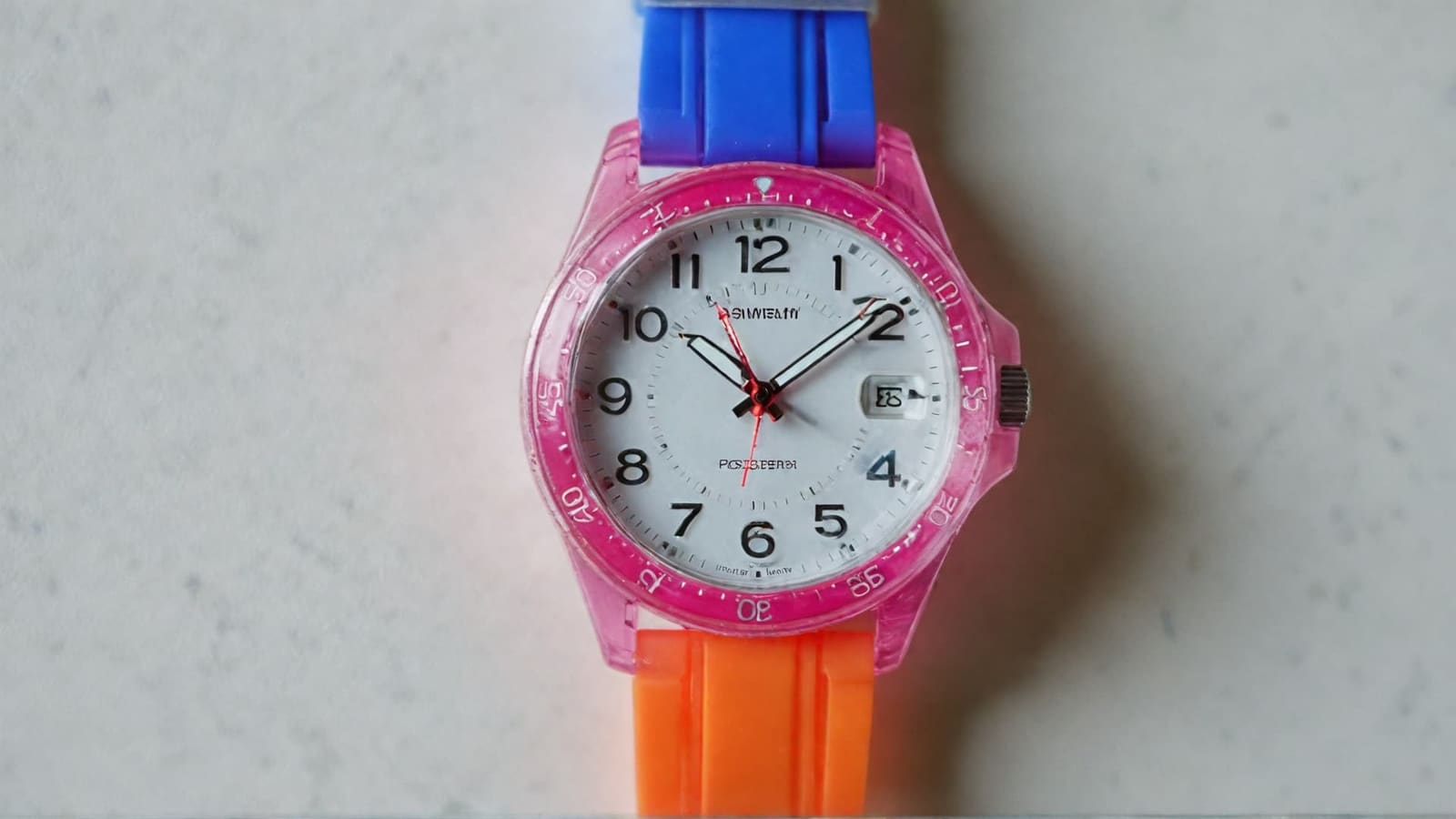
Choosing the right watch for your child has become significantly more complex in 2025, with options ranging from simple $20 time-teaching tools to sophisticated $400 smartwatches featuring GPS tracking and parental controls. The kids’ watch market has evolved dramatically as parents seek both educational value and safety features, while children view watches as essential accessories for developing independence. From analog learning watches to digital sports models and communication-enabled smartwatches, finding the perfect match requires careful consideration of your child’s developmental stage, activity level, and your family’s specific needs.
What to Look for in a Kids’ Watch
The foundation of any quality kids’ watch lies in balancing safety, durability, and age-appropriate functionality, with the best models demonstrating excellence across multiple critical areas that directly impact both child satisfaction and parent peace of mind. Modern kids’ watches must meet stringent safety standards while providing features that genuinely enhance child development, from basic time-telling skills to advanced communication capabilities. The challenge for parents involves navigating between essential safety requirements, appropriate durability for active lifestyles, comfortable sizing that accommodates growth, and educational features that match cognitive development stages.
- Safety features represent the non-negotiable foundation requiring CPSC Children’s Product Certificate compliance for all models designed for children under 12. Battery compartments must require tools to open, preventing access to small components that could pose choking hazards, while all materials must contain less than 100 parts per million of lead and restrict eight specific phthalates to protect developing systems. Watch for red flags like unmarked products, strong chemical odors, or easily separable small parts.
- Durability specifications need careful matching to lifestyle with water resistance using the ATM system where 3 ATM survives handwashing, 5 ATM allows swimming, and 10 ATM enables serious aquatic activities. These ratings reflect laboratory conditions rather than dynamic swimming pressures, so active children benefit from ratings higher than minimum expected exposure. Shock-resistant cases protect against playground drops while replaceable bands prevent total loss when straps break.
- Proper sizing directly affects consistent wearing habits with preschoolers needing maximum 32mm cases, elementary children working best with 29-33mm options under 1.5 ounces, and preteens handling 35-45mm adult sizes. The ideal fit allows one finger under the band without looseness causing sliding or tightness restricting circulation, with adjustable bands accommodating 1-2 years of growth.
- Functional complexity should match cognitive abilities with young children succeeding with large, high-contrast numbers and labeled hour/minute hands, while advanced children can navigate digital displays with multiple functions. The key lies in choosing features your child will actually use rather than paying for complexity they’ll ignore, ensuring the interface enhances rather than frustrates the experience.
- Educational benefits extend beyond time-telling into mathematical concepts through analog faces teaching fractions via quarter-hour concepts and minute markers reinforcing counting by fives. Specialized models include rotating bezels for interval learning, dual number rings separating hour/minute reading, or activity tracking introducing data collection concepts that support broader educational development.
- Build quality indicators include smooth button operation, fade-resistant printing, secure band attachments, and scratch-resistant crystal faces that distinguish lasting purchases from disposable toys. Premium models often feature anti-magnetic protection, enhanced shock absorption, and superior water sealing that extends functional life significantly beyond budget alternatives.
The most successful kids’ watch purchases balance immediate appeal with long-term functionality, ensuring safety compliance while providing features that genuinely enhance development. Parents should prioritize watches meeting current needs while offering room for skill growth, avoiding both oversimplified models that quickly lose interest and overly complex options that frustrate rather than educate. Quality watches become tools for teaching responsibility, time management, and personal organization skills that benefit children throughout their academic and personal development, making the investment worthwhile regardless of specific price point or feature complexity.
Kids’ Watch Safety Features and Concerns
Parents face legitimate concerns about kids’ watch safety that extend beyond basic product quality to encompass choking hazards, privacy protection, screen time impacts, and the broader implications of introducing wearable technology into childhood development. The regulatory landscape provides some protection through mandatory testing and certification requirements, but parents must still navigate complex decisions about age-appropriate features, data collection practices, and technology boundaries that align with family values. Modern kids’ watches present both opportunities and risks that require careful evaluation rather than automatic acceptance or rejection based on price point or marketing claims.
- Choking hazard compliance requires strict adherence to CPSC small parts regulations where any component that fits entirely within a 2.25-inch test cylinder must be avoided for children under 3 years. Watch bands, decorative elements, battery covers, and charging accessories present potential risks if they can separate during normal use or rough play. Quality manufacturers design watches with secure components that require tools for removal, while parents should regularly inspect watches for loose parts, wear patterns, or damage that could create new hazards.
- Chemical safety standards address lead content limits under 100 parts per million in accessible materials, eight specific phthalates restricted to 0.1% concentration maximum, and nickel release limitations that prevent allergic contact dermatitis affecting nearly 16% of children in clinical testing. Parents should avoid watches with strong chemical odors, unusual discoloration, or manufacturing from countries with poor safety enforcement records that may not meet these protective standards.
- Privacy protection varies dramatically between manufacturers with some brands achieving COPPA Safe Harbor certification through comprehensive data encryption and transparent privacy policies, while others show serious vulnerabilities including unencrypted location transmission and weak password requirements. The Electronic Frontier Foundation specifically warns about kids’ smartwatches as privacy risks, recommending parents research data collection practices, server locations, and third-party sharing agreements before purchase.
- Screen time concerns intensify with smartwatches that add another digital device competing for children’s attention during crucial developmental periods when unstructured play, face-to-face interaction, and outdoor exploration provide irreplaceable benefits. Child development experts recommend establishing clear usage boundaries, utilizing focus modes during educational activities, and monitoring whether watches enhance or detract from healthy childhood experiences.
- Age verification systems in smartwatches often rely on parental honesty rather than independent verification, creating potential exposure to age-inappropriate content, advertising, or social features designed for older users. Parents should verify that watch software actually implements claimed age restrictions rather than simply requiring parental acknowledgment during setup processes.
- Emergency preparedness benefits include SOS functions, location sharing, and communication capabilities that provide genuine safety advantages during unexpected situations, medical emergencies, or natural disasters. However, these features require reliable cellular coverage, charged batteries, and child familiarity with emergency procedures that parents must teach and practice regularly to ensure effectiveness when needed.
- School policy coordination becomes necessary as educational institutions increasingly restrict or ban smartwatch usage during instructional hours due to distraction concerns, cheating potential, and classroom management challenges. Parents should verify school policies before purchase and ensure watches include effective school modes that disable problematic features while maintaining essential safety functions.
- Cyberbullying and inappropriate contact risks emerge when smartwatches include messaging, social features, or communication capabilities that extend beyond approved family contacts. Even with parental controls, children may encounter online safety issues that require ongoing education about appropriate digital behavior, stranger awareness, and reporting procedures for uncomfortable interactions.
- Physical safety considerations include band materials that won’t cause skin irritation during extended wear, secure attachment systems that prevent loss during activities, and appropriate sizing that won’t restrict circulation or cause discomfort. Parents should monitor for signs of skin reaction, band deterioration, or sizing issues that require adjustment as children grow and activity levels change.
The key to safe kids’ watch ownership lies in matching device capabilities with child maturity levels while maintaining appropriate oversight and boundaries that protect rather than restrict healthy development. Parents should view safety considerations as ongoing responsibilities rather than one-time purchase decisions, regularly reviewing privacy settings, usage patterns, and child feedback to ensure watches continue serving positive purposes. The most successful safety approaches combine proactive protection measures with age-appropriate education that helps children develop digital literacy and personal responsibility skills that benefit them throughout their technology-integrated futures.
Kids’ Watch Types: Which is Best for Your Child?
The kids’ watch market divides into distinct categories, each serving different developmental needs and family priorities, from educational timepieces that build foundational skills to sophisticated communication devices that provide safety and independence. Parents must navigate between traditional analog watches that teach mathematical concepts, digital models offering advanced features, smartwatches providing communication capabilities, and specialized learning tools designed for specific educational goals. The choice between these categories depends largely on your child’s age, maturity level, learning style, and your family’s technology comfort level.
- Analog watches provide superior foundational learning through visual time representation that shows duration as hands move across the face, teaching fractions naturally through quarter-hour and half-hour concepts. The physical movement of hands helps children grasp abstract time concepts more effectively than digital displays, while numbered faces reinforce counting skills and spatial relationships. Quality analog options include the Swiss-made Flik Flak series with colorful designs and clear numerals, or educational models like the EasyRead Time Teacher that uses dual number rings to separate hour and minute reading.
- Digital watches excel for children who’ve mastered basic time concepts and need practical features like alarms, timers, stopwatches, and multiple time zone displays. These models work particularly well for children with learning differences who struggle with analog interpretation, offering clear numerical displays that eliminate confusion about hand positions. Popular options include the Casio LRW200H with its diver-style durability and 100-meter water resistance, or Timex digital models featuring INDIGLO backlighting for nighttime visibility.
- Smartwatches for kids have evolved into sophisticated communication and safety devices that function as smartphone alternatives with robust parental controls. Current market leaders include the Gabb Watch 3e focusing on safety-first design with GPS tracking and approved contact lists, the TickTalk 5 offering HD video calls and AI-powered location accuracy, and the new Samsung Galaxy Watch 7 LTE featuring Google Family Link integration with educational apps from PBS Kids and Marvel.
- Learning and educational watches focus specifically on time-teaching and skill development through specialized features designed by child development experts. The Timex Time Machines series combines analog faces with educational themes and large, labeled components, while premium options like the Blok BK33 offer Swiss construction with rotating bezels for learning time intervals. These watches often include spoken time announcements, color-coded elements, and interactive features that make abstract concepts concrete.
- Character-themed watches maintain popularity across age groups by combining beloved franchises with functional timepieces that motivate reluctant watch wearers. Disney collections feature Frozen, Mickey Mouse, and Princess themes in both analog and digital formats, while Marvel and superhero options appeal to action-oriented children. The key lies in ensuring character watches still meet safety and durability standards rather than prioritizing appearance over function.
- Fitness and activity watches cater to sports-oriented children and families prioritizing health awareness through step counting, heart rate monitoring, and goal-setting features. Models like the Fitbit Ace series gamify fitness with challenges and achievements, while the Garmin Bounce combines activity tracking with GPS safety features and two-way messaging capabilities designed specifically for active families.
Each watch type serves distinct purposes in child development, with the most successful choices aligning watch capabilities with individual learning styles and family values. Traditional analog watches build mathematical foundations that benefit all future learning, digital models provide practical functionality for organized children, smartwatches offer communication solutions for independent kids, and specialized learning tools address specific educational needs. The optimal strategy often involves progressing through watch types as children mature, starting with simple analog models for foundational skills before advancing to more complex digital or smart options that match growing capabilities and independence levels.
Smart Watches for Kids: Advantages vs Disadvantages
The kids’ smartwatch market has matured significantly in 2025, offering sophisticated communication and safety devices that bridge the gap between basic timepieces and full smartphones while maintaining parental oversight and age-appropriate functionality. These devices represent a major investment decision for families, combining monthly subscription costs with upfront hardware expenses while promising enhanced safety, communication capabilities, and educational opportunities. The decision requires careful evaluation of benefits against potential drawbacks, privacy concerns, and long-term costs that can exceed $500-800 over typical ownership periods.
Benefits of Kids’ Smartwatches
Modern kids’ smartwatches deliver genuine value through advanced safety features, communication capabilities, and educational tools that address real family needs while supporting child development and independence. The technology has evolved beyond simple novelty devices to become sophisticated platforms that enhance daily life, emergency preparedness, and learning opportunities for children ready to handle increased responsibility.
- GPS tracking provides real-time location monitoring with accuracy within a few meters using multi-technology systems that combine satellite positioning, Wi-Fi networks, and cellular triangulation. Advanced models like the TickTalk 5 use AI SmartPin technology that learns and improves location precision over time, while geofencing capabilities send automatic alerts when children arrive at school, friends’ houses, or other designated Safe Zones. This technology offers genuine peace of mind for parents while teaching children about digital privacy and location sharing responsibilities.
- Two-way communication enables voice calls, text messaging, and HD video calling through approved contact lists that parents fully control. Children can reach parents immediately during emergencies or schedule changes while avoiding the distractions and risks associated with full smartphone ownership. Group messaging features allow family coordination while emoji support and photo sharing maintain age-appropriate social connections under parental supervision.
- Emergency SOS functions provide one-touch access to emergency services and automatic parent notifications with precise location data during genuine crises. Many models include fall detection, water emergency alerts, and panic button features that work even when children can’t verbally communicate their situation. These capabilities offer security for both routine activities and unexpected emergencies that every parent hopes never occur.
- Educational apps transform smartwatches into portable learning platforms with calculator functions, language learning games, STEM activities, and fitness challenges that make screen time productive. The Samsung Galaxy Watch 7 LTE includes 20+ teacher-approved apps from PBS Kids, while other models offer geography games, math challenges, and science experiments that reinforce classroom learning through interactive experiences.
- Fitness tracking introduces children to health awareness through step counting, activity goals, sleep monitoring, and heart rate tracking that builds lifelong wellness habits. Gamified challenges motivate physical activity while data collection teaches basic statistics and goal-setting skills that transfer to academic and personal achievement areas.
The benefits of kids’ smartwatches prove most valuable for families with genuinely independent children who spend time away from direct parental supervision, participate in multiple activities requiring coordination, or face specific safety concerns that traditional communication methods cannot address effectively. When properly implemented with appropriate parental controls and clear usage guidelines, these devices can enhance family communication while teaching digital responsibility and safety awareness that prepares children for future technology interactions.
Concerns and Drawbacks
Despite impressive capabilities, kids’ smartwatches introduce significant challenges that families must carefully consider before committing to these complex devices and their associated costs. The concerns extend beyond simple financial considerations to encompass child development impacts, privacy vulnerabilities, and practical limitations that can undermine the intended benefits if not properly addressed.
- Screen time addition creates another digital device competing for children’s attention while potentially undermining efforts to limit technology exposure during crucial developmental years. Child development experts warn that smartwatches can become addictive distractions during classroom instruction, family meals, and outdoor play activities that benefit from technology-free engagement. The constant connectivity can prevent children from developing independence and problem-solving skills without immediate digital assistance.
- Privacy and security vulnerabilities exist across many kids’ smartwatch brands, with overseas manufacturers showing particularly serious weaknesses including unencrypted data transmission, weak password protection, and inadequate parental controls. The Electronic Frontier Foundation specifically warns about surveillance normalization while some models have faced recalls due to data security breaches that exposed children’s personal information and location data to unauthorized access.
- Monthly subscription costs ranging from $10-25 create ongoing financial obligations that can total $360-900 over typical 3-year ownership periods. These recurring expenses often surprise families who focus on upfront device costs without calculating long-term service fees, insurance options, and potential upgrade requirements as technology evolves rapidly. Hidden costs include activation fees, premium feature subscriptions, and replacement device charges for damaged units.
- Complexity overwhelming younger children manifests through difficult menu navigation, accidental feature activation, and frustration with touchscreen interfaces that require fine motor skills still developing in elementary-age users. Many parents report children abandoning sophisticated smartwatches in favor of simpler alternatives that provide better user experiences without constant technical difficulties or confusion.
- School policy conflicts arise as many educational institutions ban or restrict smartwatch usage during classroom hours, limiting practical benefits while creating enforcement challenges. Some districts require dedicated “school mode” functions that disable most features during instructional time, effectively reducing expensive smartwatches to basic timepieces during the majority of children’s waking hours.
- Battery life anxiety affects daily routines when devices require nightly charging, with forgotten charging sessions leaving children without communication capabilities during school or activity hours. The responsibility for maintaining device functionality often falls on parents, creating additional daily tasks that traditional watches never require.
- Technology dependence concerns emerge when children become overly reliant on smartwatch features for basic problem-solving, social interaction, or entertainment rather than developing internal coping mechanisms. This dependency can reduce resilience and self-reliance while creating anxiety when devices malfunction or require temporary removal.
The drawbacks of kids’ smartwatches often prove most problematic for families unprepared for the ongoing maintenance requirements, younger children lacking the maturity to handle complex technology responsibly, or households already struggling with screen time management issues. Many families discover that simpler communication solutions combined with traditional watches better serve their actual needs without the complications, costs, and concerns that accompany always-connected wearable devices requiring constant oversight and technical support.
Best Watches for Preschoolers, Elementary, and Teens
Selecting the ideal watch requires matching features and complexity to your child’s developmental stage, cognitive abilities, and physical needs, as watches that work perfectly for teenagers can overwhelm preschoolers while simple timepieces quickly bore older children. Age-appropriate choices ensure successful adoption, consistent wearing habits, and genuine educational benefits that support your child’s growth and independence. The following recommendations reflect extensive testing, expert opinions, and real-world parent feedback across different age groups and activity levels.
Ages 3-5 Years
Preschoolers require watches that prioritize safety, comfort, and basic time introduction over advanced features, with successful models combining engaging visuals, spoken assistance, and durable construction that survives the inevitable drops and rough handling characteristic of this age group. The focus should be on building positive associations with watch-wearing while introducing fundamental time concepts through play-based learning and colorful, appealing designs.
- VTech Kidizoom DX4 ($40-60) leads this category with dual cameras, educational games, and spoken time announcements that help non-readers learn time concepts through audio reinforcement. The 1.44-inch color screen displays large, clear numbers while built-in activities teach counting, shapes, and basic problem-solving skills. The chunky design withstands toddler drops while parental controls limit screen time and inappropriate content access.
- Flik Flak watches ($35-55) offer Swiss-made quality in 32mm plastic cases specifically designed for small wrists with colorful, engaging designs that appeal to preschool interests. Their textile straps feel comfortable against sensitive skin while 30-meter water resistance handles handwashing and minor spills. The clear numbering and labeled hands make these excellent first analog watches for children ready to learn traditional time-telling.
- Preschool Collection learning watches ($18-25) use innovative color-coded hours with animal symbols replacing traditional minute markers, making complex time concepts accessible to very young children. The large, simple displays eliminate confusion while bright colors maintain engagement during the challenging early learning phase.
- Disney character watches ($25-35) provide motivation for reluctant watch wearers through beloved characters like Mickey Mouse, Frozen princesses, or PJ Masks heroes. While prioritizing appeal over advanced features, quality character watches still meet basic safety standards and offer analog faces that support time-learning goals.
Preschool watch success depends more on establishing positive wearing habits and basic time awareness than achieving precise time-telling mastery. The best choices combine immediate visual appeal with educational value, ensuring children develop comfort with wrist-worn devices while building foundational skills that support future learning. Parents should prioritize comfort, safety, and engagement over feature complexity, remembering that successful preschool watches create enthusiasm for time-learning rather than frustration with challenging concepts.
Ages 6-8 Years
Elementary-age children benefit from watches that bridge the gap between preschool simplicity and preteen sophistication, offering genuine functionality while maintaining educational value and kid-friendly durability. This age group can handle more complex time concepts and additional features like alarms and timers, but still requires clear displays, comfortable sizing, and robust construction that survives active playground use and developing fine motor skills.
- Casio LRW200H ($20-36) earns expert recognition as exceptional value despite adult marketing, offering 33mm diver-style construction with 100-meter water resistance and rotating bezel functionality. The durable resin case survives playground activities while the professional appearance avoids childish aesthetics that elementary children often reject. Multiple color options accommodate different preferences while maintaining serious watch credibility.
- Timex Time Machines series ($25-40) combines educational analog faces with elastic fabric straps in engaging themes from Green Gecko to Rainbow Unicorn. The INDIGLO backlighting allows nighttime reading while large numbers and clear hand separation support developing time-telling skills. These watches bridge the gap between preschool simplicity and teenage sophistication.
- EasyRead Time Teacher ($35-50) features dual number rings that separate hour and minute reading, addressing the common confusion between hour and minute hands. The innovative design teaches both 12-hour and 24-hour formats while maintaining analog benefits for mathematical concept development.
- Garmin Vivofit Jr. 3 ($79-99) introduces fitness tracking with step counting, goal setting, and reward systems that motivate physical activity. Parents can assign chores and track completion through smartphone apps while children learn responsibility and time management through gamified experiences.
Elementary-age watch selection should emphasize building confidence with traditional time-telling while introducing practical features that support growing independence and responsibility. The most successful models combine clear educational benefits with genuine utility, helping children develop organizational skills and time awareness that benefit academic performance and daily routines. This age group appreciates watches that feel grown-up without overwhelming complexity, making it an ideal time to establish long-term positive relationships with timekeeping devices.
Ages 9-12 Years
Preteens require watches that acknowledge their growing independence while providing parents with appropriate safety features and communication capabilities, marking the transition from purely educational timepieces to functional tools that support real-world navigation and responsibility. This age group often seeks technology that feels mature and sophisticated while parents prioritize safety features like GPS tracking and controlled communication that ease the anxiety of increasing freedom.
- Gabb Watch 3e ($149 plus $12.99-17.99 monthly) dominates safety-focused communication with GPS tracking, unlimited talk and text to approved contacts, and Safe Zones that alert parents when children arrive at designated locations. The device blocks internet access and social media while providing essential communication capabilities that support growing independence.
- TickTalk 5 ($179 plus monthly plan) offers premium features including HD video calling, 40+ parental controls, and AI-powered GPS accuracy that learns and improves location precision over time. The end-to-end encryption and COPPA Safe Harbor certification address privacy concerns while comprehensive communication features replace early smartphone needs.
- Apple Watch SE with Family Setup ($199-249) provides full smartwatch functionality under parental oversight, including fitness tracking, educational apps, and seamless iPhone ecosystem integration. The robust app ecosystem offers everything from language learning to music education while maintaining appropriate restrictions and monitoring capabilities.
- Garmin Bounce ($149 with $10 monthly subscription) appeals to active families with fitness tracking, two-way messaging, and GPS capabilities without requiring cellular plans from major carriers. The gamified fitness approach motivates physical activity while secure communication features provide safety without overwhelming complexity.
Preteen watch choices often represent the first step toward personal technology ownership, making it crucial to balance desired independence with appropriate safety measures and parental oversight. Successful models provide genuine utility that children appreciate while offering parents peace of mind through tracking and communication features that enhance rather than replace family communication. This age group benefits most from watches that grow with their capabilities, offering features they can master gradually while maintaining safety as the top priority.
Ages 13+ Years
Teenagers require watches that respect their developing autonomy while providing sophisticated functionality that supports academic, social, and personal goals, often serving as alternatives to smartphones in restricted environments or complementing existing technology with specialized features. Teen watches must balance advanced capabilities with appropriate boundaries, offering genuine utility that enhances daily life while maintaining family safety and communication priorities.
- Apple Watch SE or Series 9 ($199-399) delivers comprehensive smartwatch functionality with sophisticated health monitoring, extensive app ecosystem, and seamless integration with teen social and academic lives. Family Setup allows parental oversight while respecting growing privacy needs, making this ideal for responsible teenagers ready for advanced technology.
- Samsung Galaxy Watch FE ($150-200) provides Android ecosystem integration with comprehensive fitness tracking, productivity apps, and customizable interfaces that appeal to style-conscious teenagers. The rotating bezel navigation feels premium while extensive customization options allow personal expression through watch faces and bands.
- Fitbit Versa 4 or Sense 2 ($199-299) focuses on health and fitness with advanced sleep tracking, stress monitoring, and comprehensive activity recognition. The social fitness features motivate healthy competition while long battery life reduces charging anxiety that plagues many teen devices.
- Traditional premium watches like Citizen Eco-Drive models ($150-300) appeal to teenagers preferring classic timepieces over digital technology. Solar charging eliminates battery concerns while water resistance and shock protection handle active teen lifestyles. Special editions featuring Star Wars, Marvel, or Disney themes bridge childhood interests with adult sophistication.
Teen watch selection often reflects broader family technology policies and individual maturity levels, requiring careful consideration of privacy, responsibility, and long-term value rather than focusing solely on immediate appeal or peer pressure. The most successful teenage watches support developing life skills like time management, health awareness, and personal organization while maintaining appropriate family connectivity and safety features. This age group benefits from being included in decision-making processes, helping them understand the balance between freedom and responsibility that effective watch ownership represents.
Best Budget-Friendly Kids’ Watches
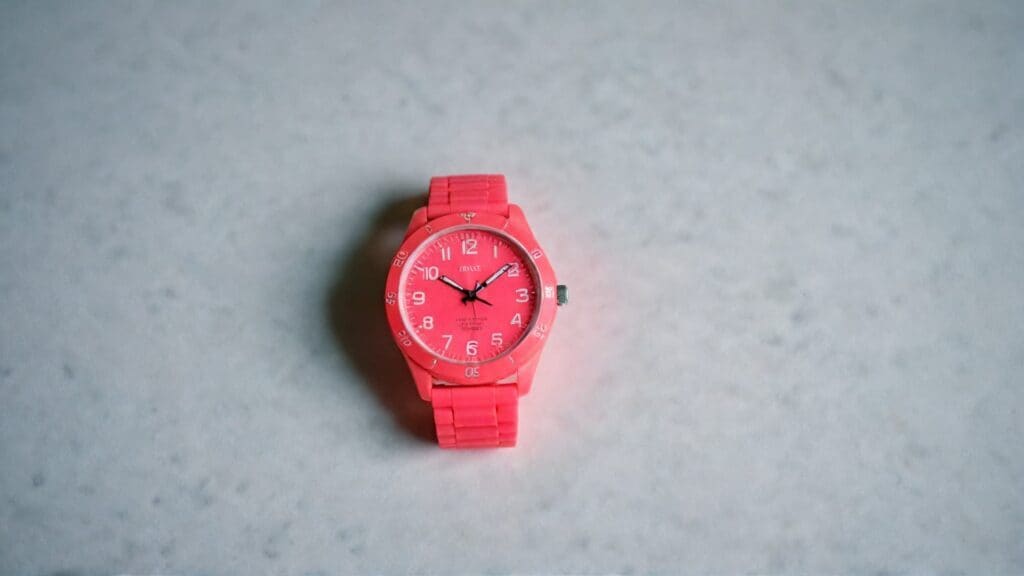
Finding quality kids’ watches that combine safety, durability, and educational value without breaking the family budget requires careful research and realistic expectations about feature sets and longevity. The sub-$25 market offers surprising options that deliver excellent value through smart engineering, proven designs, and strategic feature selection rather than premium materials or advanced technology. Parents can discover watches that serve educational purposes, survive active lifestyles, and provide genuine satisfaction without the anxiety that accompanies expensive purchases when children inevitably lose, break, or outgrow their timepieces.
- Casio LRW200H ($20-36) stands as the undisputed value champion, offering adult-quality construction with 100-meter water resistance, rotating bezel functionality, and replaceable straps typically found in watches costing significantly more. The 33mm resin case survives drops and impacts while the clear analog display teaches proper time-reading skills. Multiple color options include black, white, pink, and blue variants that appeal to different preferences without compromising durability or functionality.
- Timex Time Machines series ($18-35) provides educational value through analog faces with oversized numbers, elastic fabric straps for comfort, and INDIGLO backlighting for nighttime visibility. Frequent sales reduce prices to $18.81 on major retailers, making these among the most affordable quality options available. Themes range from animals to sports to fantasy, ensuring appeal across different interests while maintaining consistent educational benefits.
- Generic digital sports watches ($15-25) offer basic functionality with shock resistance, water splash protection, and simple alarm capabilities suitable for children at high risk of loss or damage. While lacking brand recognition, many provide surprisingly good durability for temporary use or first-watch experiences. Key features include large display numbers, comfortable silicone straps, and straightforward button operation that young children can master quickly.
- Armitron Pro Sport digital watches ($20-30) deliver reliable timekeeping with 100-meter water resistance, multiple alarms, and countdown timers in colorful designs that appeal to active children. The indiglo-style backlighting and date display add practical functionality while the comfortable resin construction handles daily wear and playground activities effectively.
- Basic analog watches with learning features ($12-22) include models with color-coded hour and minute hands, large easy-read numbers, and simple construction that focuses entirely on time-teaching without distracting extras. These work particularly well for children just beginning to learn analog time reading who benefit from clear, uncluttered displays without overwhelming features.
- Character-themed options from major retailers ($15-25) provide motivation through beloved franchises while meeting basic safety and functionality requirements. Disney, Marvel, and popular cartoon characters appear on both analog and digital models that balance appeal with practical timekeeping features, though parents should verify safety certifications and avoid extremely cheap knockoffs.
- Solar-powered basic watches ($18-28) eliminate battery replacement concerns through light-powered operation that can last months on a full charge. These simple digital models focus on reliable timekeeping with water resistance and comfortable bands, making them ideal for children who tend to forget charging routines or lose charging cables.
Budget-friendly doesn’t necessarily mean disposable, as several options in this price range deliver years of reliable service with proper care and realistic usage expectations. The key lies in prioritizing essential features like safety compliance, appropriate water resistance, and comfortable fit over flashy extras that add cost without meaningful benefits. Many budget watches actually encourage better care habits since children understand they’re not easily replaceable, while parents can feel comfortable allowing independent ownership without anxiety about expensive losses. Quality budget options often surprise families with their longevity and reliability, proving that thoughtful engineering and proven designs can deliver excellent value regardless of price point.
Best Premium Kids’ Watch Brands
Premium kids’ watches justify higher pricing through superior materials, advanced features, comprehensive safety testing, and long-term durability that often makes them more economical over extended ownership periods. These brands invest heavily in research and development, child safety testing, and customer service that provides genuine value beyond basic timekeeping functionality. The premium market caters to families seeking investment pieces, advanced technology integration, exceptional build quality, or specialized features that support specific developmental or safety needs.
- Garmin leads the premium fitness-focused category with the Bounce ($149) offering comprehensive activity tracking, GPS location services, and gamified fitness challenges that motivate healthy habits. The 2-day battery life, swim-friendly construction, and impact-resistant design handle serious athletic activities while the $10 monthly subscription provides the lowest ongoing costs among communication-enabled smartwatches. Advanced features include automatic activity detection, sleep monitoring, and goal-setting capabilities that grow with children.
- Apple Watch SE with Family Setup ($199-299) provides seamless ecosystem integration, extensive app library, advanced health monitoring, and proven long-term software support that maintains functionality years after purchase. The comprehensive parental controls allow graduated independence while robust privacy protections address security concerns. Educational apps, communication features, and fitness tracking create a comprehensive platform that supports multiple aspects of child development.
- TickTalk 5 ($179-249) commands premium pricing through HD video calling capabilities, AI-powered GPS accuracy that improves over time, end-to-end encryption, and COPPA Safe Harbor certification. The extensive parental controls include 40+ customizable options while multi-day battery life reduces charging anxiety. Advanced features like real-time location sharing, emergency SOS functions, and approved contact management provide comprehensive family communication solutions.
- Swiss-made traditional watches like the Blok BK33 ($179) offer investment-grade construction with sapphire crystal faces, 100-meter water resistance, Swiss Ronda movements, and educational features designed by child development experts. The rotating bezel teaches time intervals while premium materials ensure decades of reliable operation. These represent heirloom pieces designed to survive multiple children and developmental stages.
- Fitbit Ace LTE ($199 plus subscription) focuses on health gamification with secure calling features, Tap to Pay functionality under parental approval, and comprehensive activity tracking that introduces children to data analysis concepts. The social fitness features motivate healthy competition while robust privacy controls ensure age-appropriate experiences. Advanced sleep tracking and stress monitoring provide insights typically reserved for adult fitness devices.
- Samsung Galaxy Watch 7 LTE for Kids ($199-249) represents the newest premium entry with Google Family Link integration, 20+ teacher-approved apps including PBS Kids and Marvel content, and advanced communication features. The comprehensive educational platform includes language learning, STEM activities, and creative tools while maintaining strict content filtering and parental oversight capabilities.
- Citizen Eco-Drive special editions ($150-300) appeal to families preferring traditional timepieces with solar charging technology, premium materials, and character themes that bridge childhood interests with adult sophistication. Star Wars, Marvel, and Disney collaborations provide appeal while Swiss-quality movements and sapphire crystals ensure long-term reliability and accuracy.
Premium pricing becomes justified when delivering specific family value such as GPS tracking for independent children, communication features replacing early smartphone needs, exceptional durability for extremely active lifestyles, or educational tools supporting particular learning goals. The 3-5x price premium over budget options should translate to proportional improvements in safety features, build quality, customer service, or functionality that directly benefits your family’s specific situation. Many premium watches actually prove more economical over 3-5 year ownership periods when factoring in replacement costs, repair services, and feature upgrades that extend useful life significantly beyond budget alternatives.
Best Waterproof Kids’ Watches
Active children require watches that survive swimming pools, playground activities, sports practices, and the inevitable encounters with mud, rain, and various liquids that define childhood adventures, making water resistance ratings and sports-specific features critical considerations for families with athletic children or those living in climates where outdoor activities dominate daily routines. Water resistance specifications use the ATM (atmosphere) system that measures static pressure resistance rather than dynamic swimming conditions, creating confusion for parents trying to determine real-world capabilities. The challenge lies in interpreting manufacturer specifications accurately while choosing features that genuinely enhance rather than complicate active lifestyles.
- Best swimming watches include specialized models designed specifically for aquatic activities with enhanced sealing, corrosion-resistant materials, and features that function underwater. The Garmin Bounce offers 10 ATM rating with comprehensive water activity tracking including stroke detection and lap counting, while the AZLAND Waterproof series specifically markets swimming and surfing capabilities with 24-36 month battery life that eliminates charging concerns during beach vacations or swim camp sessions.
- Sports-specific features enhance active lifestyles through automatic activity recognition, GPS tracking for outdoor adventures, heart rate monitoring during intense activities, and timer functions for interval training or game periods. Advanced models provide coaching features that help children improve technique while safety features like fall detection alert parents to potential injuries during solo activities like biking or skateboarding.
- Secure attachment systems prevent loss during vigorous activity through reinforced strap connections, safety catches that prevent accidental opening, and comfortable materials that won’t slip during sweaty activities. Some models include secondary retention systems or tethering options for extreme sports where watch loss poses safety risks or expensive replacement concerns.
- Shock resistance protects internal mechanisms from playground falls, sports impacts, and the inevitable encounters with hard surfaces that define active childhood. Quality sports watches feature reinforced cases, shock-absorbing materials, and protected button areas that maintain functionality despite rough treatment that would disable fashion-focused alternatives.
- Post-activity maintenance becomes crucial for preserving water resistance and extending watch lifespan through proper care routines that remove salt, chlorine, dirt, and sweat that can degrade seals and materials over time. Immediate fresh water rinsing after saltwater or pool exposure, thorough drying with attention to button areas, and complete air drying before storage significantly extend watch life and maintain protective capabilities.
- Common failure points in active use include button seal degradation from underwater pressing, band deterioration from chemical exposure, screen scratches from rough surfaces, and charging port corrosion in smartwatches that don’t receive adequate post-activity cleaning. Parents should inspect watches regularly for signs of wear and address issues before they compromise safety or functionality.
- Activity-specific recommendations vary by sport with swimmers needing minimum 5 ATM ratings and chlorine-resistant materials, runners benefiting from GPS tracking and heart rate monitoring, team sport players requiring shock resistance and secure attachment, while outdoor adventurers need comprehensive weather protection and navigation features. The optimal choice depends on your child’s primary activities and the level of performance feedback that motivates rather than overwhelms young athletes.
Water resistance and sports features represent essential considerations for active families, but they shouldn’t overshadow basic safety, comfort, and age-appropriate functionality that determine daily wearing success. The most durable sports watch becomes useless if children find it uncomfortable, too complex, or aesthetically unappealing for regular use. Quality sports watches balance protective capabilities with user-friendly operation that encourages consistent wearing habits while surviving the demanding conditions that active children create through their natural enthusiasm for physical challenges and outdoor adventures.
Teaching Children to Read Analog Watches
Successfully introducing children to watch ownership requires patience, structured learning approaches, and realistic expectations about the time needed to develop both technical skills and responsibility habits. The process extends far beyond simply strapping a watch to a child’s wrist, encompassing time concept development, care responsibilities, and the gradual building of independence that quality watch ownership can foster. Parents who approach this process systematically often find that watches become powerful tools for teaching broader life skills including organization, responsibility, and time management that benefit children throughout their academic and personal development.
- Time-telling instruction follows proven educational progressions starting with hour recognition through “o’clock” times, advancing to half-hours using “30 minutes past” language, then quarter-hours with “15 and 45 minutes past” concepts, and finally 5-minute intervals that complete basic analog literacy. Each stage requires mastery before progression, with plenty of practice using toy clocks, worksheets, and real-world time observations that reinforce learning through multiple contexts and repetition.
- Analog watch introduction provides superior foundational benefits through visual duration representation that shows time passage as hands move across numbered faces. Children grasp abstract time concepts more effectively when they can observe physical hand movement, while the mathematical relationships between hours, minutes, and fractions become concrete rather than purely theoretical. Starting with simple analog faces featuring large numbers and clearly differentiated hour and minute hands sets the foundation for lifelong time comprehension.
- Digital time correlation helps children connect analog skills with modern time displays through side-by-side comparison exercises that show 3:30 on analog faces alongside digital readouts. This dual approach ensures children can function effectively in both traditional and digital time environments while reinforcing the mathematical relationships that make time concepts meaningful rather than merely memorized.
- Daily routine integration makes watch usage natural and purposeful through connecting timepieces with existing activities like meal times, bedtime routines, homework schedules, and recreational activities. Children develop time awareness when watches serve practical purposes rather than existing as novelty items, with parents initially providing gentle reminders that gradually transfer responsibility to children as skills develop.
- Responsibility building encompasses both watch care and time management skills through age-appropriate expectations that grow with child development. Young children learn basic care like removing watches before baths and storing them safely overnight, while older children take responsibility for battery changes, band adjustments, and using time awareness for scheduling activities and meeting commitments.
- Problem-solving opportunities arise naturally when children encounter time-related challenges like arriving late, missing activities, or struggling with schedule coordination. Parents can guide children through analyzing these situations, identifying how better time awareness might prevent future problems, and developing personal strategies for using watches effectively in daily life.
- Motivation techniques vary by personality with some children responding to achievement recognition, others preferring competitive elements like timing activities, and many benefiting from choice and autonomy in watch selection and usage patterns. The key lies in discovering what makes time awareness feel valuable and interesting rather than burdensome or overwhelming for individual children.
- Age-appropriate expectations recognize that preschoolers may wear watches primarily for familiarity and basic hour recognition, elementary children can master quarter-hour concepts and basic scheduling, while preteens should demonstrate independent time management and responsibility for watch maintenance. Pushing children beyond developmental readiness often creates frustration and resistance that undermines long-term success.
The most successful watch introduction experiences combine structured learning with patient support, allowing children to develop skills gradually while building positive associations with timepieces and time management. Parents should expect periodic setbacks, lost watches, and temporary disinterest as normal parts of the learning process rather than signs of failure. Quality time-telling skills and responsible watch ownership develop over months and years rather than weeks, with the investment in proper introduction paying dividends through improved organization, punctuality, and personal responsibility that benefit children throughout their educational and professional futures.
Kids’ Watch Care: Cleaning and Maintenance Tips
Proper watch maintenance extends device lifespan significantly while teaching children valuable responsibility lessons about caring for personal belongings and the relationship between maintenance efforts and long-term reliability. Kids’ watches face unique challenges from playground activities, swimming, sports participation, and the general rough treatment that active children naturally provide their possessions. Establishing simple but consistent care routines prevents most common problems while helping children develop organizational skills and personal responsibility that transfer to other areas of life.
- Daily cleaning routines involve wiping watch cases and bands with soft, dry microfiber cloths after each wearing session to remove oils, sweat, dirt, and moisture that accumulate during normal activities. This simple practice prevents buildup that can damage electronic components, cause skin irritation, or create unpleasant odors that make children reluctant to wear their watches consistently. Parents should teach children to pay special attention to band areas where moisture and debris commonly collect.
- Deep cleaning procedures vary by material composition with metal components benefiting from soft brush cleaning using lukewarm water and mild soap, while avoiding harsh chemicals that can damage protective gaskets or finish coatings. Silicone and rubber bands tolerate soaking in warm soapy water with gentle scrubbing using soft brushes, while leather bands require only dry or slightly damp cloth treatment followed by occasional leather conditioner application to prevent cracking and deterioration.
- Water exposure management becomes critical for maintaining water resistance ratings over time through proper post-activity care that removes salt, chlorine, and other chemicals that can degrade sealing materials. Immediate fresh water rinsing after swimming or beach activities, thorough drying with attention to button areas and band crevices, and complete air drying before storage preserve protective capabilities that prevent moisture damage to internal components.
- Battery replacement schedules depend on watch type with traditional digital models typically requiring new batteries every 2-3 years, while smartwatches need daily charging with rechargeable battery replacement every 1-2 years. Parents can teach older children to recognize low battery indicators and basic replacement procedures for simple watches, while complex models benefit from professional service that includes gasket replacement and water resistance testing.
- Storage solutions protect watches from damage during non-wearing periods through designated locations that prevent loss while avoiding extreme temperatures, magnetic fields, or direct sunlight that can affect timekeeping accuracy. Simple watch boxes, drawer organizers, or bedside stands work effectively while teaching children organizational habits that extend beyond watch care to general room maintenance and personal responsibility.
- Damage assessment skills help children and parents identify when watches need professional attention versus simple home care, preventing minor issues from becoming major problems that require expensive repairs or replacement. Parents should teach children to recognize signs like condensation under crystal faces, loose bands, sticky buttons, or timekeeping irregularities that indicate service needs.
- Warranty management involves keeping purchase documentation, understanding coverage limitations, and knowing manufacturer service procedures that can save significant money when problems develop. Premium brands often provide excellent warranty service, while budget options may lack support infrastructure that makes warranty claims impractical despite theoretical coverage.
- Seasonal maintenance addresses specific challenges like salt exposure during beach vacations, increased sweating during summer activities, or cold weather effects on battery performance and band flexibility. Adjusting care routines based on seasonal activities and environmental conditions helps watches survive challenging periods that might otherwise cause permanent damage.
- Replacement timing decisions involve balancing repair costs against new watch prices while considering whether children have outgrown current models in terms of size, features, or personal preferences. Sometimes replacement makes more economic sense than repair, particularly for budget watches or when children have demonstrated readiness for more advanced models.
Successful maintenance programs combine appropriate care techniques with realistic expectations about watch lifespan based on quality level, usage intensity, and child responsibility development. Parents should view maintenance education as valuable life skill training rather than simply protecting watch investments, since children who learn proper care habits often extend these practices to other possessions, school supplies, and personal belongings. The most effective approaches balance thoroughness with simplicity, ensuring care routines feel manageable rather than burdensome while delivering genuine protective benefits that children can observe and appreciate over time.
Kids’ Watches: Frequently Asked Questions
Parents commonly encounter similar questions and concerns when navigating the kids’ watch market, from determining appropriate introduction timing to managing ongoing technology decisions that affect family dynamics and child development. These frequently asked questions reflect real-world experiences from families across different economic situations, parenting philosophies, and child personality types. Addressing these common concerns helps parents make informed decisions while avoiding pitfalls that can turn positive watch experiences into sources of frustration or family conflict.
At what age should kids get their first watch?
This depends more on individual developmental readiness than chronological age, with most experts recommending ages 5-8 as optimal timing when children demonstrate number recognition, basic sequencing skills, and genuine interest in time concepts. Some 4-year-olds show readiness for simple watches while others benefit from waiting until age 6-7, with key indicators including ability to count to 12, curiosity about daily schedules, and responsibility demonstrated with other personal belongings like backpacks or lunch boxes.
Are smartwatches safe for children?
Safety varies dramatically between brands and requires evaluation of specific models and manufacturers, with reputable options like TickTalk 5 achieving COPPA Safe Harbor certification while cheaper overseas models show serious security vulnerabilities. Parents should research privacy policies, data encryption practices, and third-party testing results rather than assuming all smartwatches meet appropriate safety standards for children.
How do I choose the right size?
Measure your child’s wrist circumference and select cases that don’t exceed developmental recommendations of 32mm for preschoolers, 29-33mm for elementary children, and 35-45mm for preteens. The watch should fit snugly without restricting circulation, with adjustable bands accommodating 1-2 years of growth while avoiding both sliding from looseness and circulation restriction from excessive tightness.
What if my child loses or breaks their watch?
This happens frequently enough that parents should consider this probability when selecting models and price points, with many families choosing quality budget options for first watches before investing in expensive models. Teaching children to remove watches during high-risk activities, establishing designated storage locations, and considering insurance or replacement warranties can minimize both frequency and financial impact of loss or damage incidents.
Should I choose analog or digital for learning?
Educational experts overwhelmingly favor analog introductions because of foundational benefits including visual time representation, fraction learning through quarter-hour concepts, and mathematical skill development through counting intervals. Digital watches work better for children who’ve mastered basic time concepts and need practical features like alarms and timers, but analog faces provide superior educational foundations that benefit long-term mathematical development.
How much should I budget annually?
Costs vary significantly by watch category with traditional budget options requiring $10-20 yearly including battery replacements, premium traditional watches averaging $12-36 annually, and smartwatches demanding $50-150 device costs plus $120-200 subscription fees. Extended warranties ($5-15 monthly) provide valuable protection for very active children, while replacement planning should anticipate 2-4 year lifespans for budget models and 3-5 years for premium options.
What about privacy concerns with GPS tracking?
This requires balancing legitimate safety benefits against surveillance normalization that privacy advocates warn can affect healthy independence development. Parents should establish clear communication about when and why location tracking occurs, involve children in privacy setting decisions as they mature, and regularly review whether tracking benefits justify potential psychological impacts on trust and autonomy development.
How durable are kids’ watches really?
Durability depends heavily on construction quality and usage patterns, with professional testing showing quality models withstanding multiple drops, temperature extremes, and water exposure exceeding stated ratings by 25% safety margins. Real-world performance indicates premium brands consistently lasting 2+ years with active children, while budget digital options often surprise families with resilience despite lower costs and simpler construction.
Can watches help with homework and organization?
Absolutely, when parents use timepieces as tools for teaching time management, homework scheduling, and personal responsibility rather than simply timekeeping devices. Children who learn to use watches for tracking homework duration, managing activity transitions, and meeting family commitments often develop organizational skills that benefit academic performance and personal relationships throughout their educational journey.
What features do children actually use?
Most children regularly use basic timekeeping, alarms for important activities, timers for games or chores, and communication features in smartwatches, while complex functions like calculators, weather displays, or extensive app libraries often go unused. Parents should prioritize features that match their child’s current interests and capabilities rather than purchasing complex functionality that may never provide practical value or justify additional costs.
These common questions reflect the reality that kids’ watch decisions involve multiple considerations beyond simple product selection, encompassing child development, family values, safety concerns, and long-term educational goals. The most successful approaches involve matching watch capabilities with individual child needs while maintaining realistic expectations about both benefits and limitations that accompany different price points and feature sets. Parents who research thoroughly, consider their specific family situation, and involve children appropriately in decision-making processes typically achieve the most positive outcomes regardless of which specific watch they ultimately choose.
Conclusion
The kids’ watch market offers unprecedented variety and sophistication, from $20 educational timepieces building foundational time-learning skills to $400+ smartwatches providing comprehensive communication and safety features. Success depends on matching watch complexity to child developmental readiness rather than following strict age guidelines or pursuing the latest technology trends. For most families, the optimal strategy involves starting with quality budget options like the expert-recommended Casio LRW200H to establish responsibility and assess genuine interest before investing in premium features that may overwhelm young users or exceed practical needs.
Educational benefits peak with analog introductions during ages 5-8 when children can grasp mathematical concepts through visual time representation, while communication-enabled smartwatches become valuable around ages 9-12 as independence increases and safety concerns grow. Safety and privacy considerations require careful manufacturer research, prioritizing CPSC compliance, third-party safety testing, and transparent privacy policies over flashy features or aggressive pricing that may compromise child protection. The most critical factors remain proper sizing for comfort, appropriate water resistance for lifestyle, and realistic durability expectations based on individual child characteristics rather than marketing promises.
Whether choosing a simple analog timepiece for foundational learning or a sophisticated smartwatch for family communication, the best kids’ watch ultimately supports your child’s development while providing parents with appropriate peace of mind. The investment becomes worthwhile when watches serve as tools for teaching responsibility, time management, and personal organization skills that benefit children throughout their academic and personal futures. Quality watches that match child needs and family values deliver lasting benefits that extend far beyond basic timekeeping, making thoughtful selection decisions crucial for long-term success and satisfaction.